The Best Free AI Tools for Students in 2026
Research, note-taking, study prep, and citation help — tools that actually hold up across a full semester of real coursework, not just a quick demo.
Most "best AI tools for students" lists are really just a general productivity list with "for students" tacked onto the title. This one is built around what a semester actually involves: reading a lot of material quickly, keeping notes organized across several classes at once, understanding topics you weren't taught clearly the first time, and writing under deadline pressure.
A quick note before the list: check your school's academic integrity policy before using any AI tool for graded work. Rules vary a lot by institution and even by individual professor — what's fine for one assignment can be a violation for another.
For understanding a topic you're stuck on
A general AI assistant is genuinely good at explaining a concept multiple different ways until one of them clicks — walking through a math problem step by step, explaining a historical event from a different angle, or breaking down dense academic language into plain English. Free tiers are typically generous enough for this kind of occasional, conversational use. See our comparison of ChatGPT, Claude, and Gemini if you're not sure which one to start with.
For research and finding sources
Tools built specifically for research — rather than a general chatbot — tend to be better here because they show their sources directly, so you can actually click through and verify a claim before citing it. This matters a lot: an AI summary is a starting point for finding real sources, not a citation in itself. Perplexity is the clearest current example of this category, built entirely around citing what it tells you.
For organizing notes across classes
AI note tools that can summarize a long reading, pull out key terms, or turn a messy set of notes into a clean outline are useful mainly because they save the tedious formatting step — not because they replace actually doing the reading. Used that way, they free up study time for the parts that actually need your attention: understanding, not transcribing.
For transcribing lectures
Free transcription tools that turn a recorded lecture into searchable text are one of the more underrated tools on this list. Being able to search a whole semester's worth of lecture transcripts for one term right before an exam beats flipping through handwritten notes every time.
For writing and editing
AI writing assistants are best used for the editing stage, not the drafting stage — catching awkward phrasing, tightening a sentence that's run too long, or checking that an argument actually flows logically from paragraph to paragraph. Using them to generate the actual content of a graded essay is where most schools' policies draw a hard line, so this is the category to be most careful with. See our guide on writing better AI prompts for getting more useful editing feedback specifically, rather than generic suggestions.
Which tool for which task — a quick reference
| You need to... | Use | Not |
|---|---|---|
| Understand a confusing concept | General AI assistant | A research tool (overkill for this) |
| Find real, citable sources | Research tool with citations | A general chatbot alone (may fabricate sources) |
| Review a semester of lectures before finals | Transcription tool | Re-reading handwritten notes from scratch |
| Tighten up a draft essay's wording | AI writing assistant (editing only) | Generating the essay's actual content |
Building a simple, sustainable setup
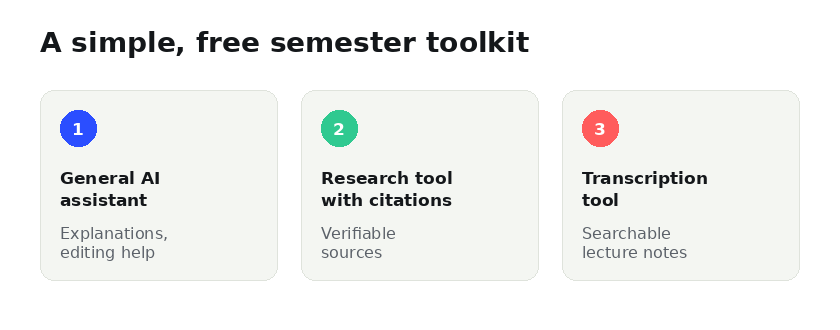
You don't need five different subscriptions. A reasonable free setup is: one general AI assistant for explanations and editing help, one research tool with source citations, and one transcription tool if you attend a lot of lectures. That covers the vast majority of what comes up in a normal semester.
Frequently asked questions
Will using AI tools count as cheating?
It depends entirely on your school's and instructor's specific policy, and on how the tool is used — explaining a concept is treated very differently from generating text to submit as your own work. Always check the policy for that specific class before using AI on graded work.
Are free plans actually enough, or do I need to pay eventually?
For most coursework, free plans are enough. You might hit usage limits during intense weeks like finals, at which point a short-term upgrade for that one month can make sense rather than paying year-round.
What's the biggest mistake students make with AI tools?
Using them to skip the thinking step entirely rather than to remove the tedious parts around it. The tools that help you learn faster are the ones you use to check your understanding, not to replace it.